

 Vutesa
Turn Customer Experiences Into Trust.
Upward Reviews are not a testimonial list. Every review lives on your own Bio / Profile Page, is approved by you before it is published, can be shared as a tracked link or QR code, and connects the person who left it to your CRM, so trust turns into follow-up and new business.
Visitors stay with you
No traffic sent to a directory full of competitors and ads.
Publish with confidence
Approve reviews before they appear on your public profile.
Keep the relationship
Reviewers become CRM contacts you can follow up with.
Sending a customer to a third-party review site gives away the visit, the data and the next step. Upward Reviews keep all three.
Reviews that keep the relationship
Six reasons your reviews belong on your own business page, where prospects actually decide.
You control what is published
Every review a visitor submits waits for your approval before it appears publicly.
Reviewers become contacts
A review submission creates or matches a CRM lead, so one person stays one record with many activities.
Share a single review
Send one review by tracked link, quick link, QR code or social post, and see its clicks, shares and leads.
Visitors can subscribe
People can follow your new reviews, which brings them back to your profile instead of a directory.
Company and personal reviews
Company reviews can be shared with the team, while your own reviews stay yours.
Real attribution
Track clicks, shares, subscribers and leads back to the review that started the conversation.
Upward Reviews vs. third-party review sites
Keep public review sites for local search. Use Upward to showcase reviews where prospects decide, beside your booking, videos and recent work.
| Capability | Upward Reviews | Third-party review sites |
|---|---|---|
| Visitor stays on your own profile | Yes | No, traffic leaves to their site |
| You approve what is published | Yes | Rarely |
| Reviewer becomes a CRM lead | Yes | No |
| Share a single review by link or QR code | Yes | Limited |
| Attribution from review to lead | Yes | No |
| Visitors can subscribe to new reviews | Yes | No |
| Reviews beside booking, videos and recent work | Yes | No |
| Company + member review distribution | Yes | Not designed for teams |
| Competitor ads beside your reviews | No | Often |
Publish with confidence, not by deleting feedback
Approval exists so reviews are verified, relevant and appropriate before they appear on your public profile, not to hide honest feedback.
Pending
Newly submitted reviews wait for your decision.
Approved
Published to your profile and available for sharing.
Declined
Kept in your records but never shown publicly.
Comment
Add your own comment under a review so prospects see how you respond.
Company Reviews and Personal Reviews
Built for replicated teams: strong company proof reaches every member, while each member still earns and owns their own reputation.
Company Reviews
- Collected and managed by the Company Owner or Admin.
- Can be shared with the whole team.
- Give new members instant credibility on day one.
Personal Reviews
- Earned by the member from their own customers.
- Approved, featured and shared by the member.
- Stay with the member's Bio / Profile Page.
One review. Share it everywhere.
A single strong review can open the next conversation, and every share path leads back to you.
Quick Link
A simple link to one review, ready to paste into a message or proposal.
Tracked Link
Counts clicks and connects them to a CRM lead or contact.
QR Code
Put proof on printed material, events and in-person meetings.
Social and messaging
X, Facebook, LinkedIn, WhatsApp, Telegram, SMS and more from the same share sheet.
What a visitor sees on your Reviews page
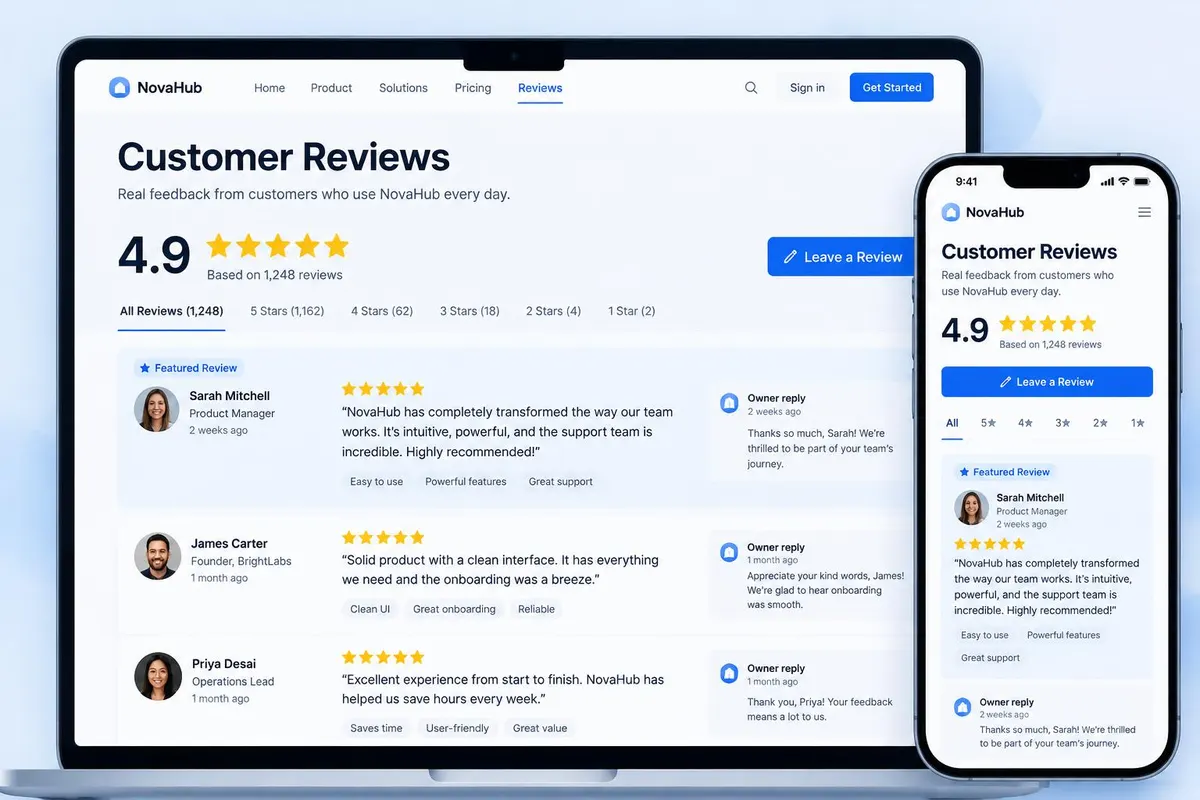
Your public Reviews page shows your average rating, the share of reviews at each star level, and the approved reviews. Visitors can search, filter by rating or country, and switch between grid and list.
- Each review shows stars, a title, the text, the reviewer and their location.
- Each review has its own Share button and its own page.
- A Follow button lets visitors subscribe to new reviews.
- You can switch the ratings grid and the filters on or off in Review Settings.
How a visitor leaves a review
A visitor presses Write a Review and signs in with a code or a social account. Then they fill in a short form. You cannot review your own profile.
- Star rating from 1 to 5, a title, and a description of at least 10 characters.
- First name, an optional last name, and an optional city and country.
- Up to 8 photos as JPEG, PNG or WebP, up to 10 MB each.
- Optional video or audio, when you allow visitor video or audio uploads in settings.
- A Share a Testimonial version of the same form is available.
You approve every public review
A review from a visitor is always saved as pending and stays hidden until you decide. You can approve it, decline it, or move it back to pending. The Reviews screen has a tab for each state.
- Approve publishes the review and notifies the people who follow your reviews.
- Decline hides it from your public profile and keeps it in your records.
- Add your own comment under a review. Public comments show on the review page.
- Add a review yourself when a customer gave you feedback another way.
The reviewer becomes a CRM lead
The moment a visitor submits a review, Upward creates a lead in your CRM. The lead notes the star rating, the title, the text and the location, and the source reference says Public review. You can follow up while the experience is fresh.
- Reviews can also be linked to an existing lead or contact. That person gets an email when the review is published.
- Your team sees the lead like any other, with its full history.
Followers hear about new reviews
Visitors who follow your page can switch on Reviews. When you approve a review, they are told. Following also puts them in your CRM, with a note of what they followed.
Company reviews and personal reviews
Company reviews are managed by the Company Owner or Admin and can be shown on member profiles. Personal reviews are earned by one member and stay with that member's profile.
- Company owners decide whether members can display and publicly share company reviews, for all members or per member.
- A company rule controls whether reviews can be added by hand.
- Members choose whether to show company reviews on their own page.
See which reviews bring people in
The Reviews overview shows total reviews, average rating, review link clicks and leads from reviews. It also names your top review, with its clicks, shares and leads.
Plan limits
Each plan includes a number of reviews. When you reach it, Upward tells you your plan's limit and offers an upgrade.
- Free: 5 reviews.
- Starter: 25 reviews.
- Deluxe: 50 reviews.
- Pro: 100 reviews.
One touchpoint of a Multi-Touchpoint CRM
Reviews live on your Bio / Profile Page beside your videos, recent work and booking. Every touchpoint creates or updates a lead in one CRM, so a reviewer who later books a meeting is a single person with one history.
From a customer experience to a new opportunity
Each step is tracked, so you can see which review is actually working.
- 1
Send people to your reviews
Share your Reviews page or a single review by link, QR code or social. Ask after a finished job, a delivery or an event.
- 2
The visitor writes a review
They sign in with a code, then add a star rating, title, text, optional photos and a location.
- 3
It waits for you
The review is saved as pending and hidden. The reviewer is added to your CRM.
- 4
You approve or decline
Approve publishes it to your profile and tells your followers. Decline keeps it in your records, never shown publicly.
- 5
Share and follow up
Share the best reviews, add a comment, and follow up with the reviewer from your CRM.
Build trust. Keep the relationship.
Share your Reviews page after a completed service, a delivered product, an event or a result. Approve each review, share the best ones with a tracked link, and see the clicks, shares and leads they created.
Frequently asked questions
Do I have to approve reviews before they are public?
Yes. Every review a visitor submits is saved as pending and hidden until you approve it. You can also decline it, which keeps it in your records but never shows it publicly.
Can a visitor review without signing in?
No. A visitor signs in with an emailed or texted code, or with a social account, and then writes the review. That is how Upward knows who the reviewer is.
Does a reviewer become a CRM lead?
Yes. When the review is submitted, Upward creates a lead with the rating, title and text in the notes and the source reference Public review.
Can I reply to a review?
You can add a comment under a review, and your team can too. Public comments appear on the review page.
Can visitors add photos or video?
Photos, yes: up to 8 JPEG, PNG or WebP images of 10 MB each. Video and audio can be allowed or blocked in Review Settings.
Can I share one review?
Yes. Each review has a Share button for a tracked link, quick link, QR code or social post.
How many reviews can I keep?
Free: 5. Starter: 25. Deluxe: 50. Pro: 100.
Can visitors follow new reviews?
Yes. The Follow menu has a Reviews switch. When you approve a review, followers are told.
Related
Upward vs Google Reviews
Google Reviews makes you findable. Upward Reviews makes you believable on your own page, and turns every reviewer into a contact you can thank, nurture and ask for a referral.
Bio / Profile Pages
More than a link in bio. Your Upward page showcases who you are and what you do — and connects every visitor action to your CRM.
CRM
A CRM that fills itself from every touchpoint. Leads, contacts and companies, a pipeline you can shape, and one timeline per person.
Tracked Links
A normal link gets someone from one place to another. A Tracked Link also tells you whether it was opened, when, from where, and, if you made it for a person, by whom.
QR Codes
A QR code on a card, a flyer, a slide or a name tag should lead somewhere you can measure. In Upward, QR codes are built into every share sheet and every Tracked Link.
Video Platform
Keep attention where it belongs — on you. Host business videos without ads or competitor recommendations, and turn viewers into CRM contacts.
Recent Work
Show your work, share it, and see what it does. Publish completed projects with photos and stories, share each one on its own, and turn interest into leads.
Team Replication
Build it once. Give every member their own branded Bio/Profile Page, CRM, calendar, chat and follow-up tools, inside one company system.
Have a question about Review System?
Ask Vutesa, Upward's AI assistant — answers draw on this page's content.
Ready to turn every conversation into growth?
Start free, then replicate your system across your whole team.